To log in, you can:
1 - Use your magic link and bypass entering your login credentials. Your magic link was sent to you in the Welcome email.
(we recommend that you save your magic link where you can easily access it)
Please note: If this link doesn't work when you click it, or you get a "page not found error message" please try copying and pasting it into your browser's address bar. Please remember that you must be logged into the membership site before clicking any links in our emails to access them.
2 - Or login using your updated login credentials:
URL: https://k0endfz.xperiencify.io/login/
Email: your email
Password: Enter your password or click "Forgot Your Password?" to reset it.
If you encounter any other tech issues, please be sure to refer to the Tech Troubleshooting page inside the Student Handbook here for support (the Student Handbook can also be found under the Program➝ Onboarding section inside the membership site) or to reach out to us at support@alyssanobriga.com.
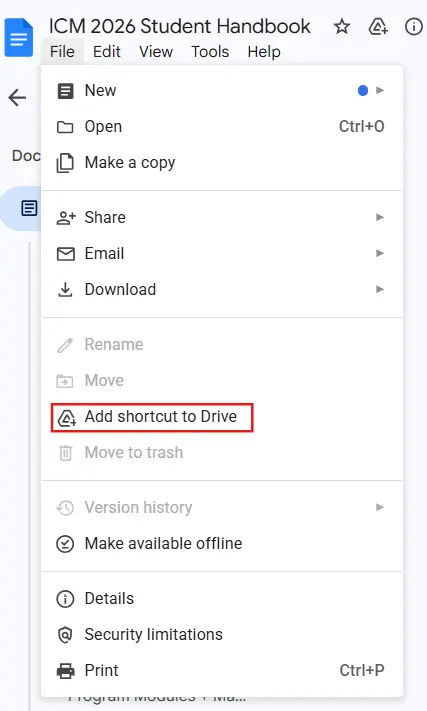
We recommend you add a shortcut to the Student Handbook so you can easily access it on your own Google Drive (see screenshot below):